
Home management app for everything you own
Find Anything at Home in Seconds
Know what you own. Find where you put it.
A clear home inventory of belongings, rooms, and storage—without turning your home into a warehouse.
Coming soon on the App Store
Works on this device without an account. Free text inventory has no item limit.
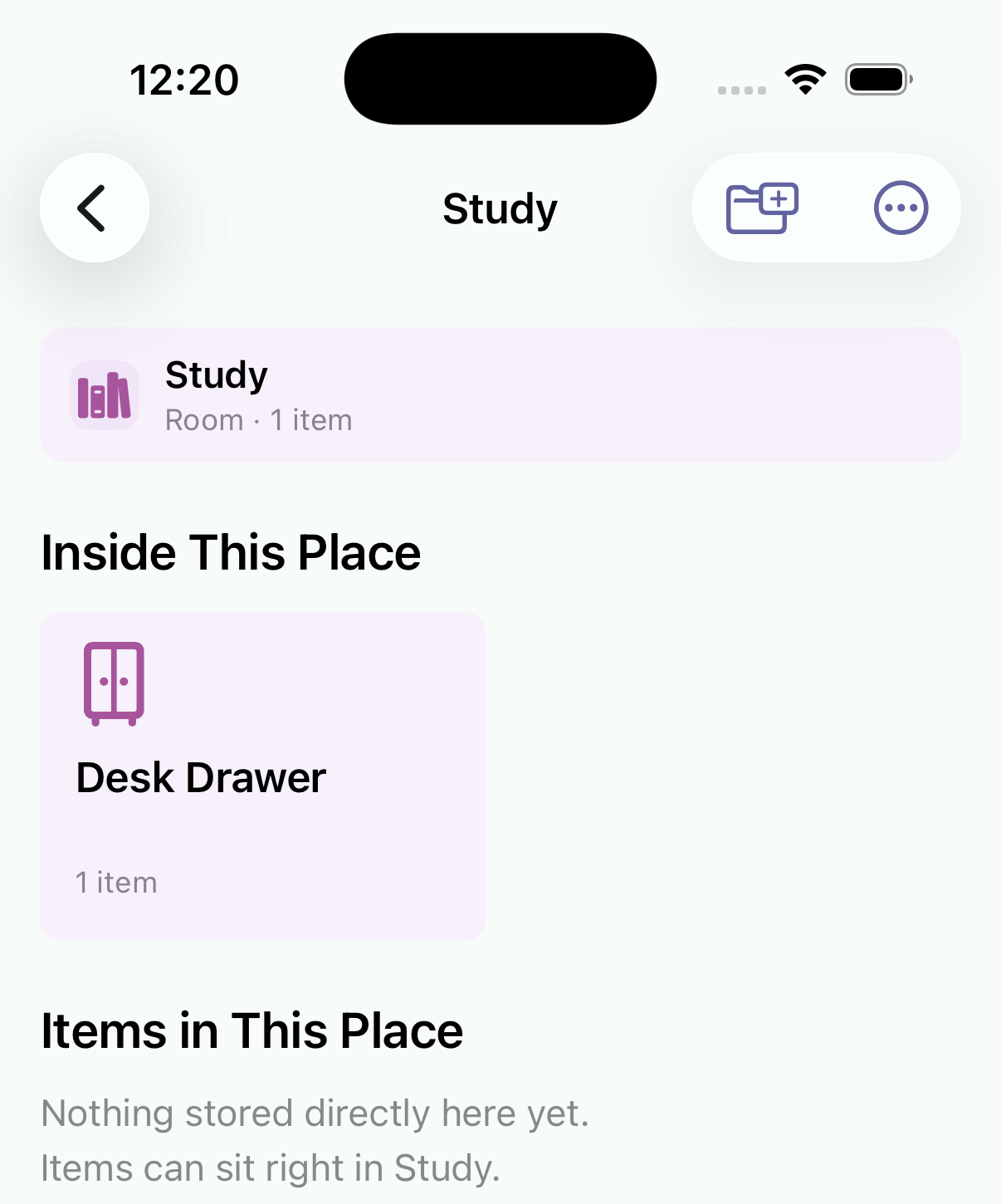

Real screens: search the exact place. Nothing invented.
How it works
Three screens. One quiet index.
01
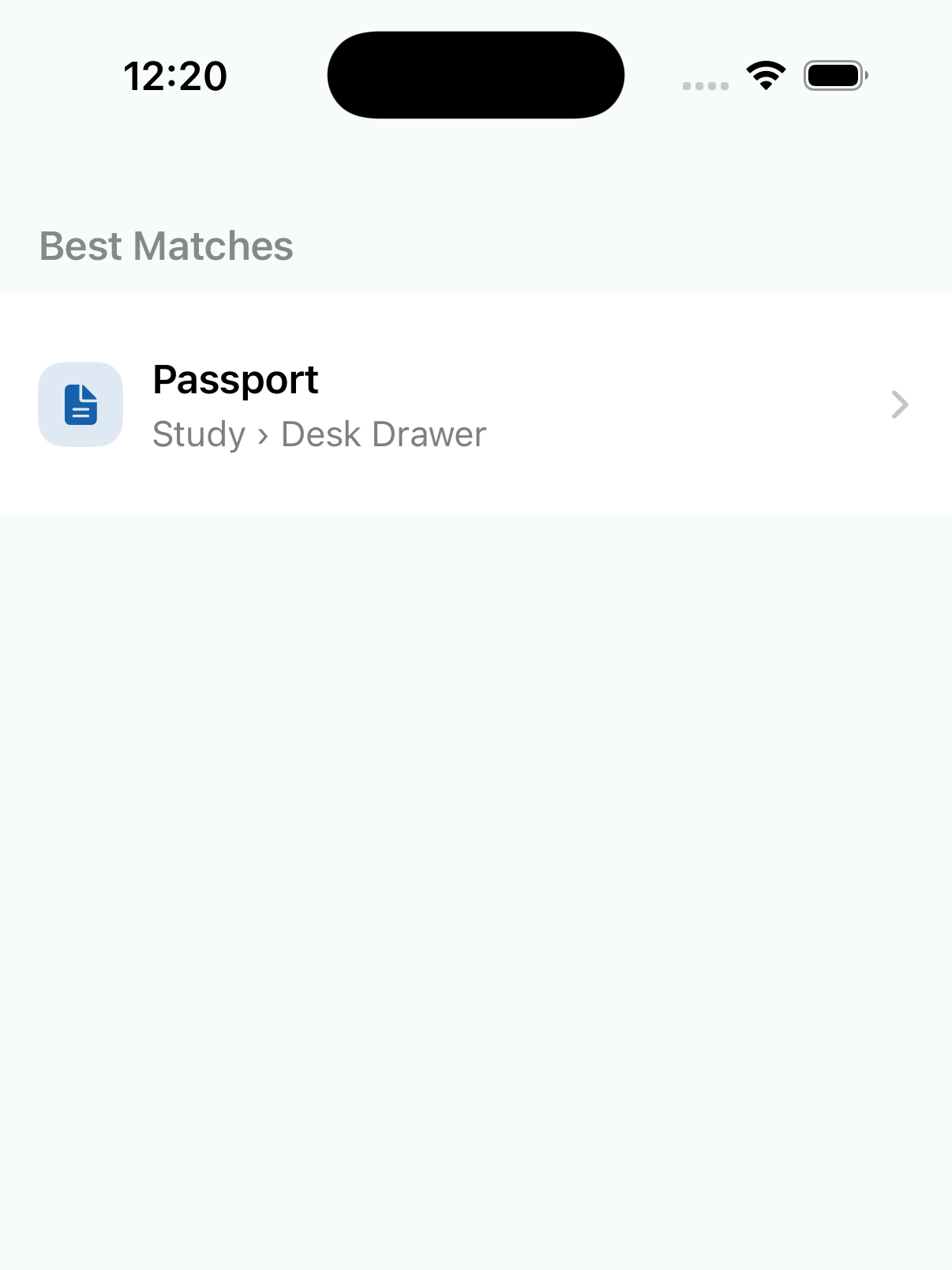
Search → path
Type the name you remember. Follow the place you recorded.
02
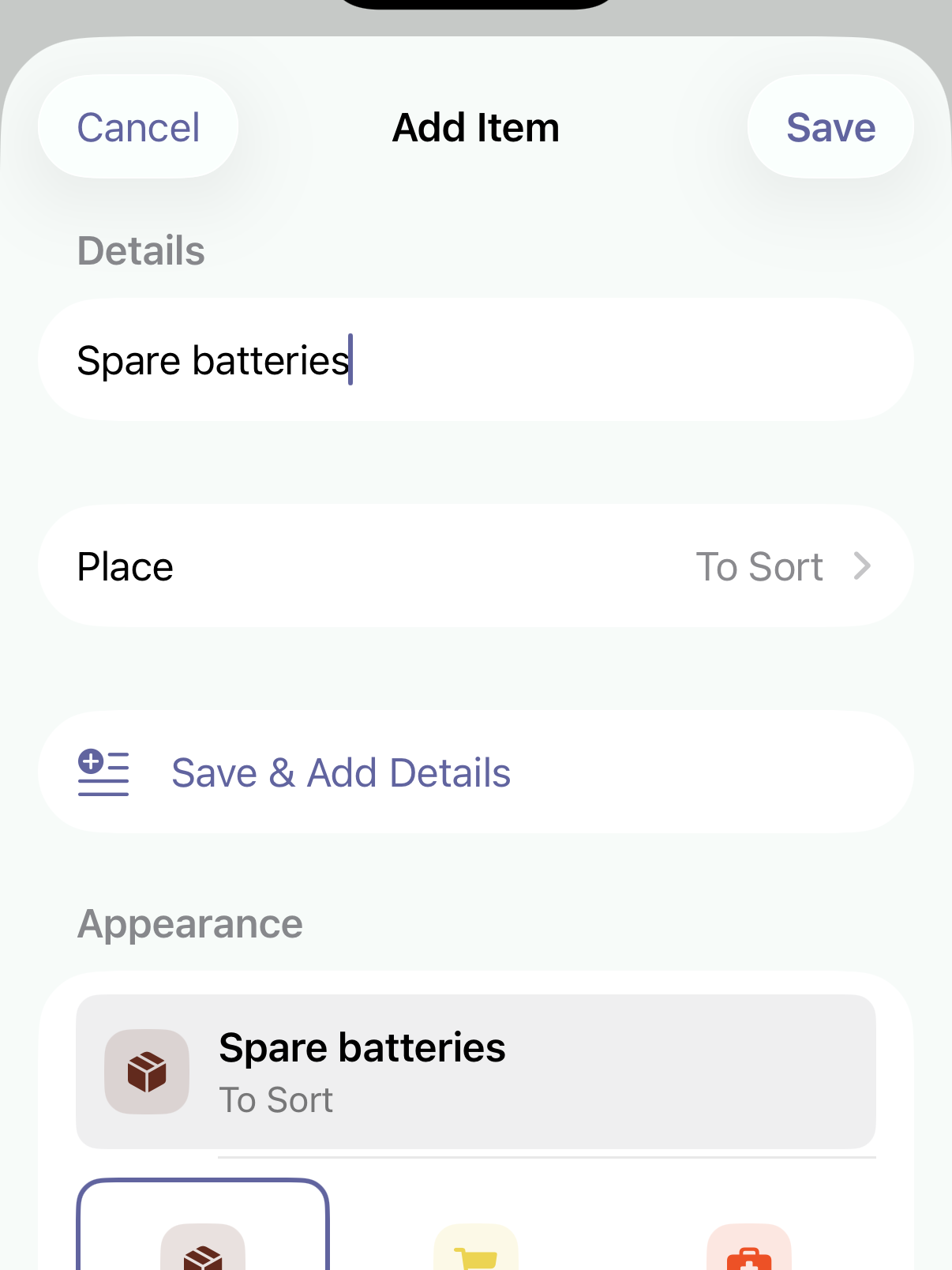
A name is enough
Save now. Fill room, quantity, or dates when they help. Unsorted items stay in To Sort.
03
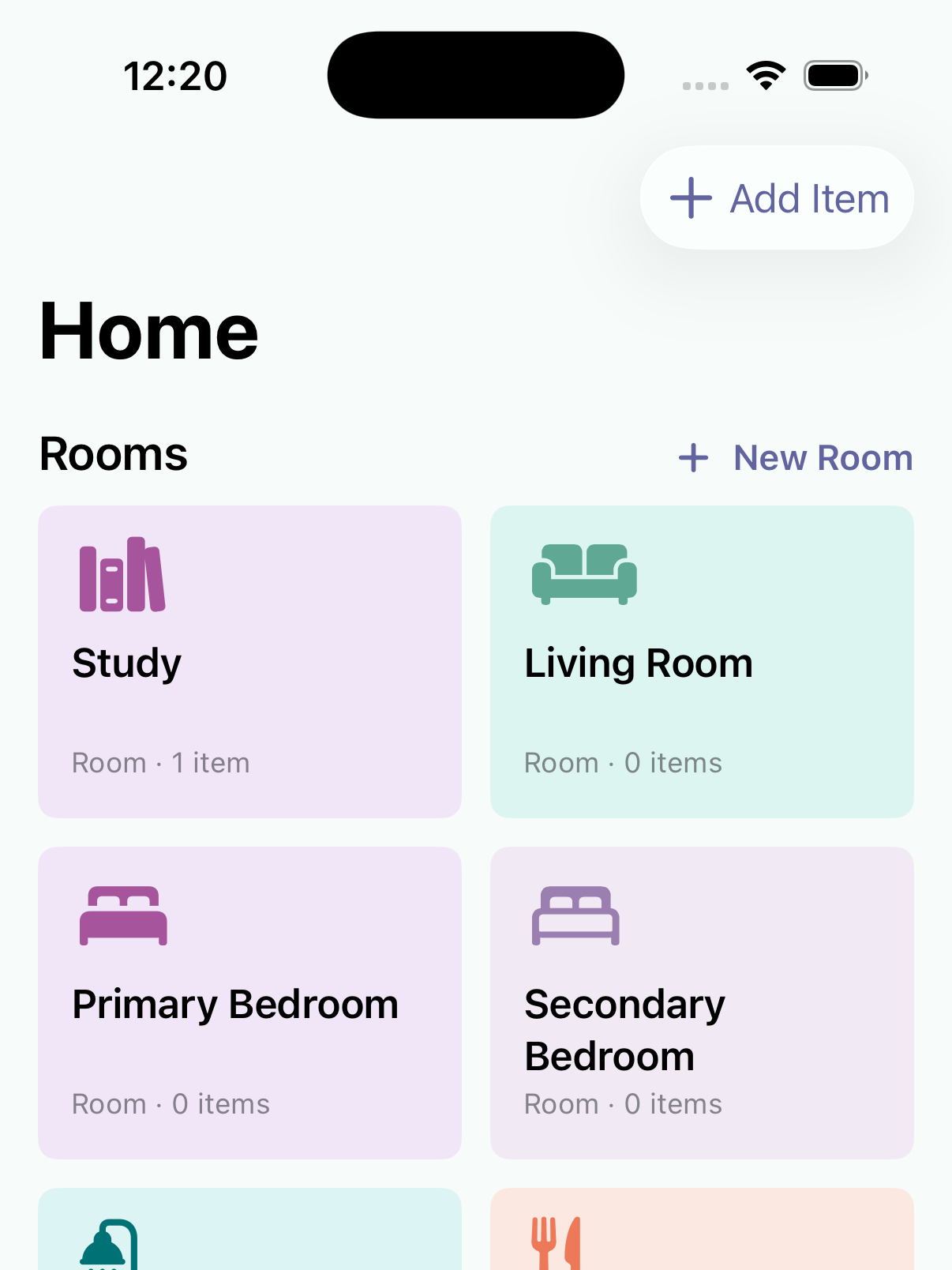
Rooms your way
Build the hierarchy that matches your home—rooms, drawers, boxes.
Honest by design
- We doRecord what you own, where you put it, and what needs attention—only from data you saved.
- We don’tGuess locations, run a warehouse, or manage chores, bills, or repairs.
- Local firstCore text inventory works on this device without an account or network.
Status
See what needs attention.
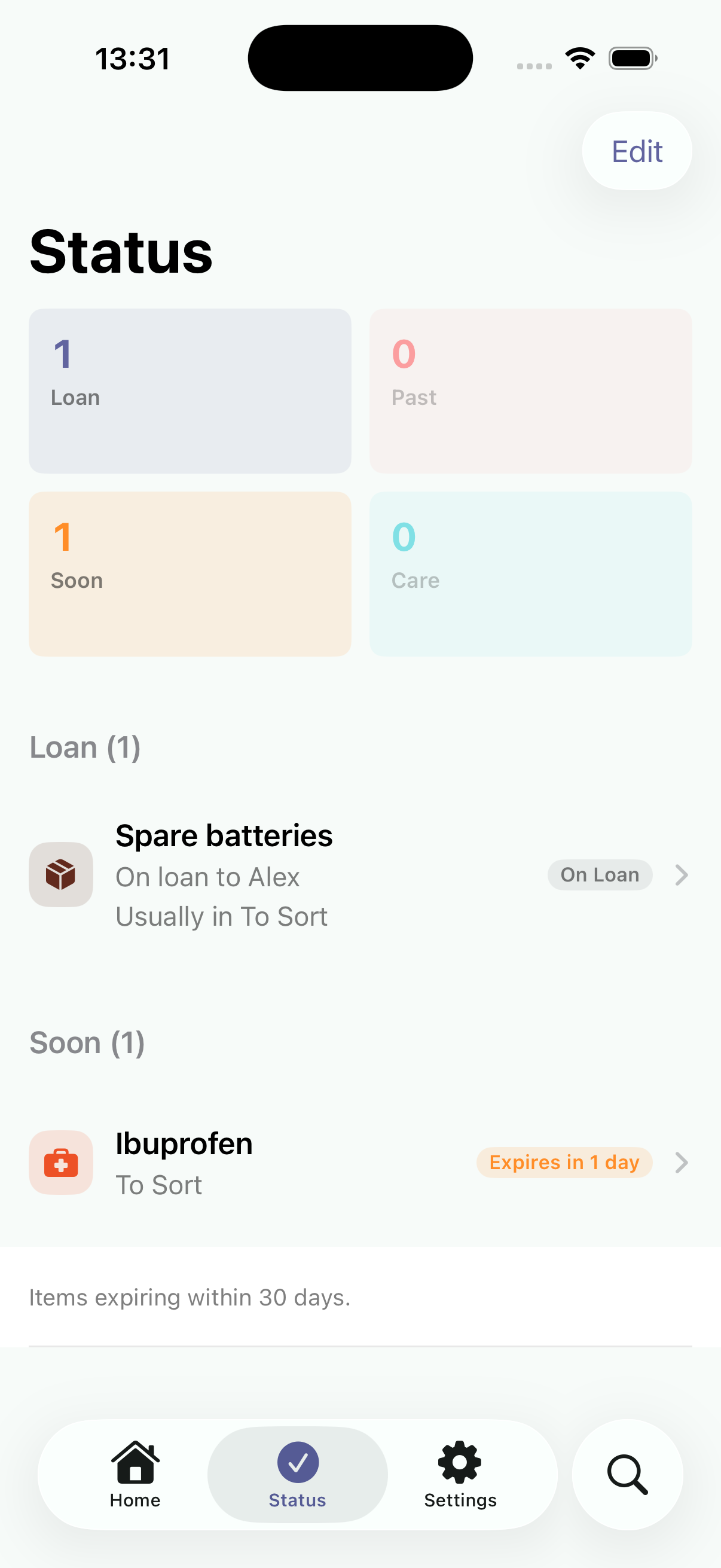
On loan, To Sort, expired, and expiring soon—in one quiet list. Optional Home Screen widget for a glance without opening the app.
- On loanMark who borrowed an item—e.g. Spare batteries on loan to Alex—then find it again when it comes back.
- Expiring soonMedicine and supplies with a date surface within 30 days, so you can handle them before they go stale.
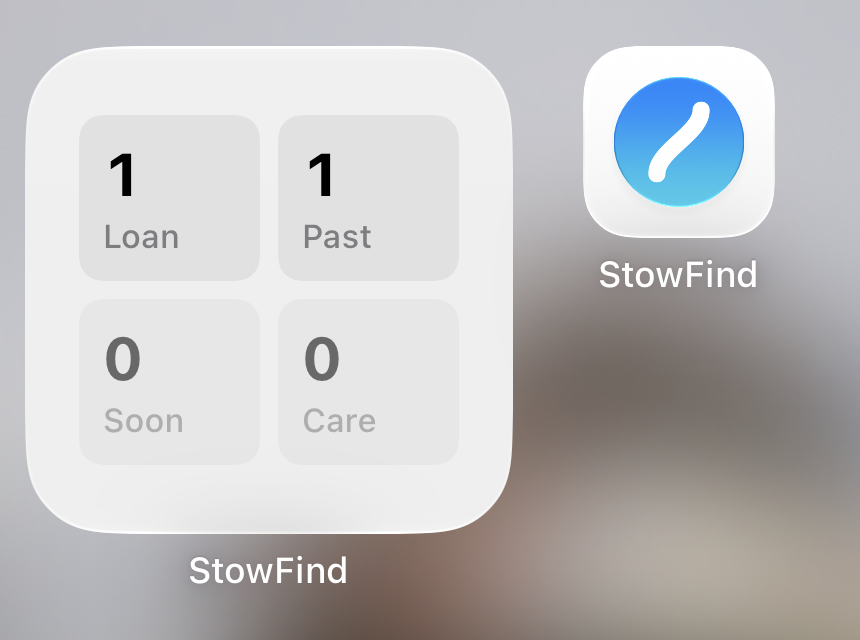
- Home Screen widgetPin Status counts on the Home Screen for a glance at what needs attention without opening the app.
Built for real household moments
When memory is not enough.
Moving and settling in
Box 3 · Temporary › later a real room
Record a temporary path now; replace it when the new room is ready.
Seasonal storage
Winter gloves · Bedroom › Seasonal Bin
Know which bin holds winter gear before the weather changes.
Documents and spares
Passport · Study › Desk Drawer
Passports, adapters, and backup keys tied to one exact place.
Medicine cabinet
Ibuprofen · Expires in 1 day · Status
See what has expired or is due soon—without a full pantry system.
On loan
Spare batteries · On loan to Alex
Track who has what, then mark it returned when it comes home.
Questions
What StowFind does—and does not do.
Is StowFind a home management app or a home inventory app?
Both, with a clear focus. StowFind is a home management app for belongings, rooms, and storage—not chores, repairs, bills, or schedules. It keeps a home inventory of the things you own so you can find where you put them.
Do I need an account or internet to use it?
No. Your core text inventory works on this device without sign-in or a network connection, and there is no item limit for saving or finding. StowFind has no account system and no StowFind server at all.
How does search find where I put something?
Type the name you remember and follow the room-to-container path you recorded. Strong name matches come first. StowFind only shows locations you actually saved—it never guesses or invents a place.
Can I track medicine or food that expires?
Yes. Items with an expiry date surface when they have expired or are due within 30 days on the Status tab, so you can find and handle them—without turning the app into a pantry planner.
What is the Status tab for?
Status gathers items that need attention: on loan, waiting in To Sort, expired, or expiring soon. You can also add a Status widget to the Home Screen for a glance at those counts.
What do I need to add an item?
Just a name. Add a room, container, quantity, or dates later when they become useful. Items without a place stay in To Sort instead of disappearing into an incomplete form.
Is StowFind free?
The full text inventory is free forever with no item limit, and personal sync is free when available. StowFind Pro is optional and is never required to save, search, or keep your personal inventory in sync.
Useful from the first item
Your core text inventory works on this device without sign-in—no item limit for saving or finding. Prefer the exact category page? Read about StowFind as a home inventory app.
Coming soon on the App Store